As a consequence, the TVG flange had to be rotated by by 90 degrees with respect to the instrument and thus the P.A. for the slit in N-S direction is now 0 degrees (formerly 90), according with the astronomical definition.
The images however are still rotated clockwise by 90 degrees (i.e. East is up and North is to the right), since CAFOS has NOT been rotated with respect to the telescope.
There are two restrictions:
- The autoguider cannot be used in the "slit-view" mode since due to a bug in the guider software the offsets are wrong. Guiding has to be done as before in "guide mode".
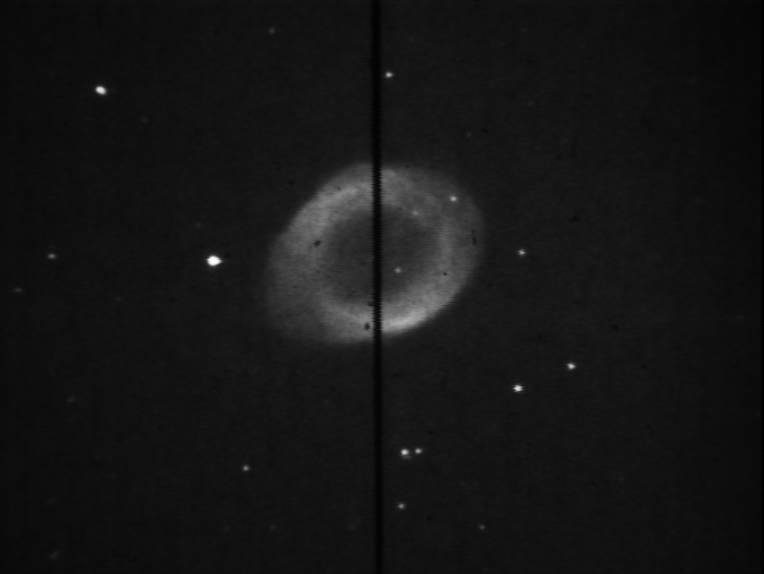
- The slit is oriented vertically on the guider screen. This reduces the visible slit length, but of course it does not affect the centering.
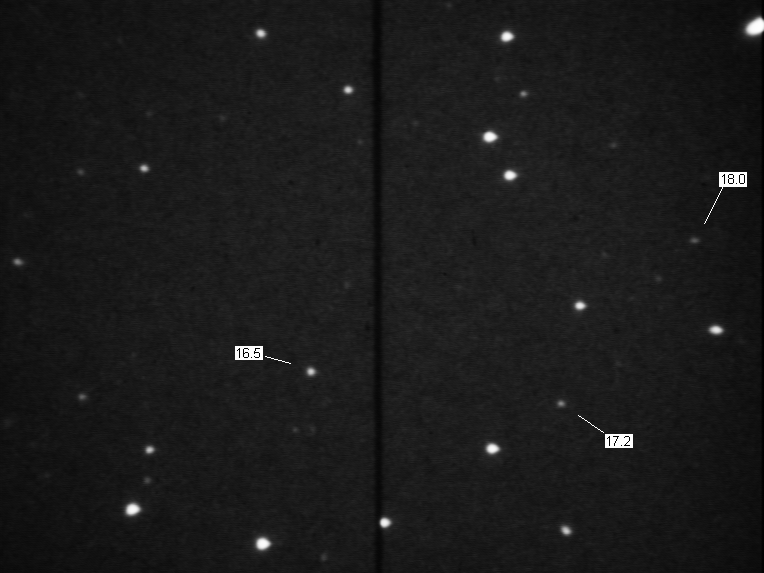
The limiting magnitude for the slit-view is aprox. 19 mag
| On-slit image of M57 (grab mode) |
Approximate V-magnitudes (10s integration, without moon) |
 |
 |
Since the programme sends commands to the TV-guider command shell window, the ID of the latter has to be checked by means of the command "xwininfo" (or better "xwininfo -wm", in order to get less information), followed by a click into the same window. The ID is of the form "0xhh0000d", being hh a hexadecimal number. This ID has to be compared or, if needed, updated with the command "dither/setup" in the MIDAS quicklook (opens a dialogue window).
Although this sounds complicated, it isn't, moreover the ID only changes when a window is destroyed or another one is created. In a normal run the window does not change and neither does the ID.